📸
Receipt capture that reads itself
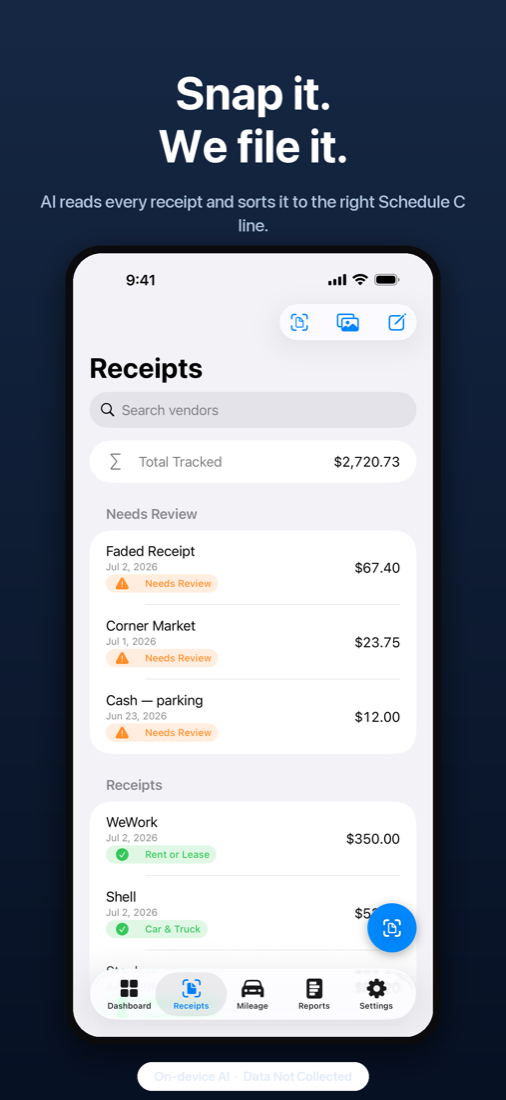
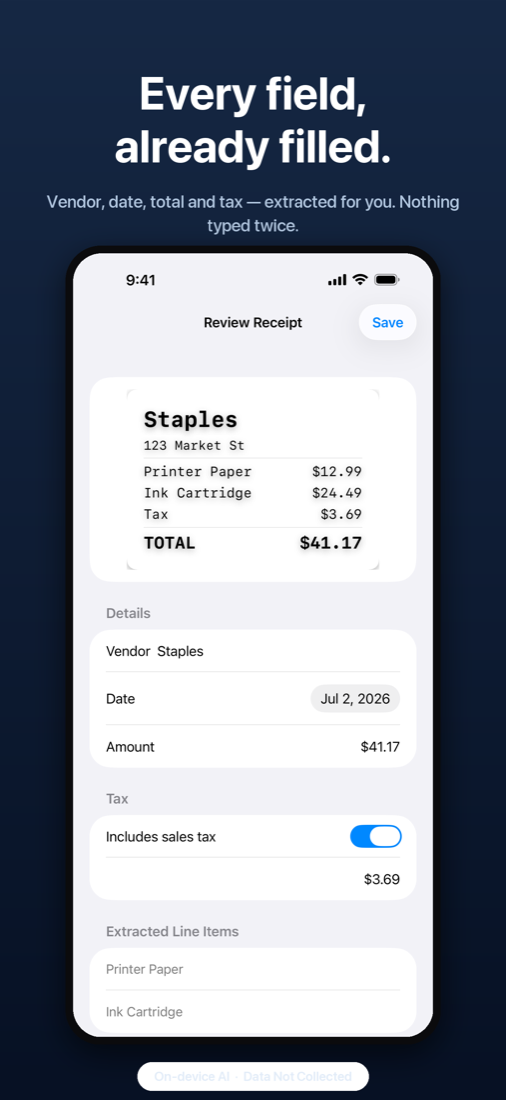
Snap with the camera, import from Photos, or share from any app. Amounts, dates and vendors are extracted on your device. Keep the photo with the record, and sync images to your own iCloud if you choose.
FreeEvery receipt you lose is money you gave away. ReceiptHQ snaps a receipt onto the right Schedule C line in seconds, logs your business miles by itself, finds the write-offs hiding in your bank statements, and hands your accountant everything in one tap. All of it runs on your iPhone. No account, no upload, no tracking.
Most receipt apps read the text and stop there. ReceiptHQ does the tax thinking too, and shows what each deduction is worth while you go.
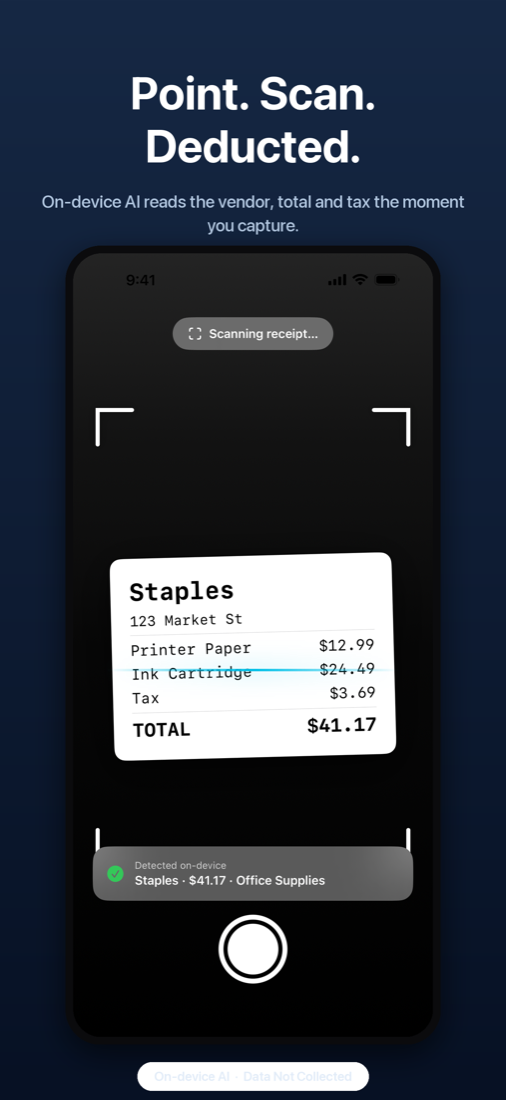
Camera, Photos, Files, or the share sheet from any app. Catch up on a shoebox with bulk capture. Vendor, date, total and tax are read on your device.
On-device AI predicts the IRS category, learns your vendors, and shows the estimated tax saving on the spot. Anything uncertain goes to a Needs Review queue instead of being guessed.
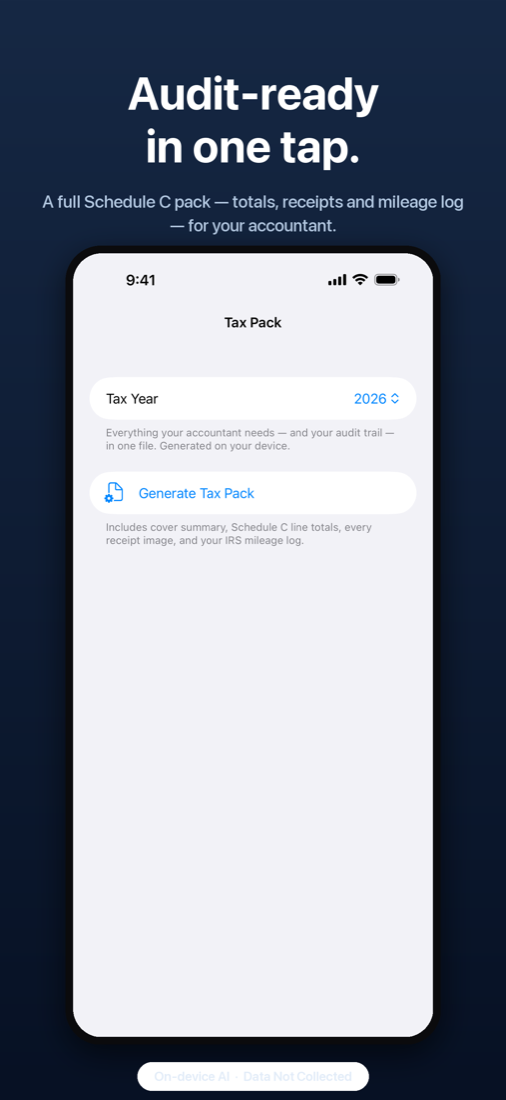
Schedule C totals, every receipt image and your mileage log in a single Tax Pack PDF for your accountant, or a TXF file straight into TurboTax.
Capture, storage, returns and warranties, mileage and income are free forever. Pro adds the AI, the automation and the exports.
Snap with the camera, import from Photos, or share from any app. Amounts, dates and vendors are extracted on your device. Keep the photo with the record, and sync images to your own iCloud if you choose.
FreeEvery expense gets a predicted IRS line, from Car and Truck to Office Expense to Contract Labor, with a plain-English reason and an estimated tax saving. Confirm with one tap. The AI never touches your amounts or dates; those come from the receipt only.
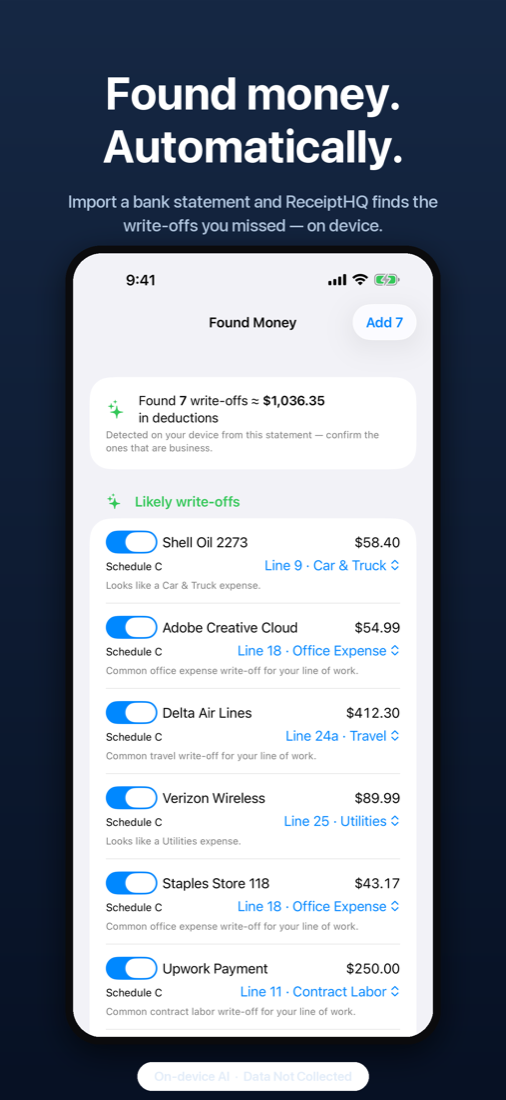
Pro · manual categories freeImport a bank or card statement as PDF, CSV, QFX or OFX and ReceiptHQ scans it for write-offs you forgot: "Found 7 write-offs, about $1,036 in deductions." Each arrives pre-sorted to its Schedule C line. No bank login, nothing connected, nothing uploaded.
ProReceipts are matched to the bank lines they paid for, so a scanned receipt and an imported statement never count the same expense twice. The dashboard shows how much of your deductions are backed by both.
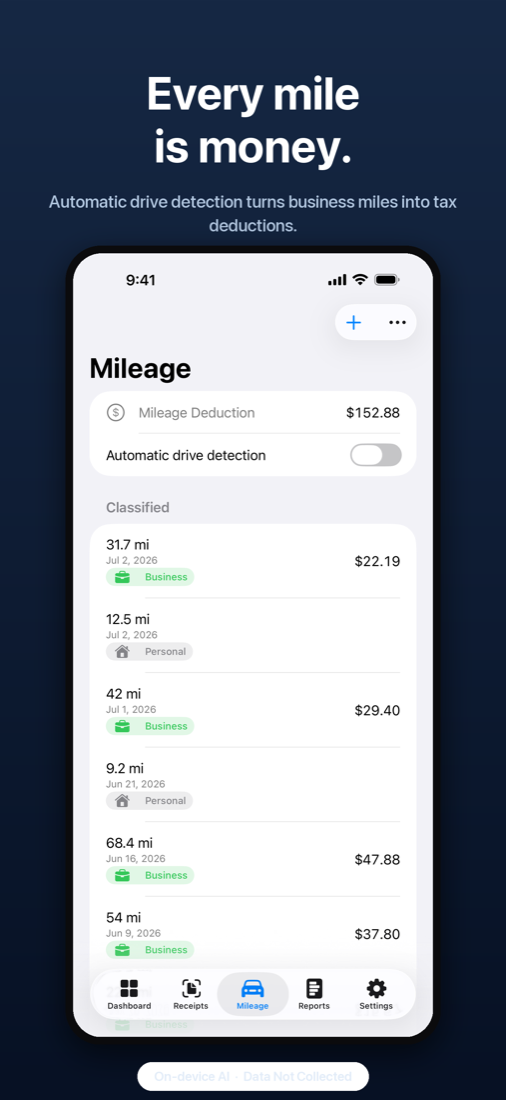
ProStart a drive with one tap, or let automatic detection catch it. Classify business or personal with a swipe. A Live Activity shows the deduction adding up as you drive. The log is IRS-compliant and export-ready, and it's built to sip battery, not drain it.
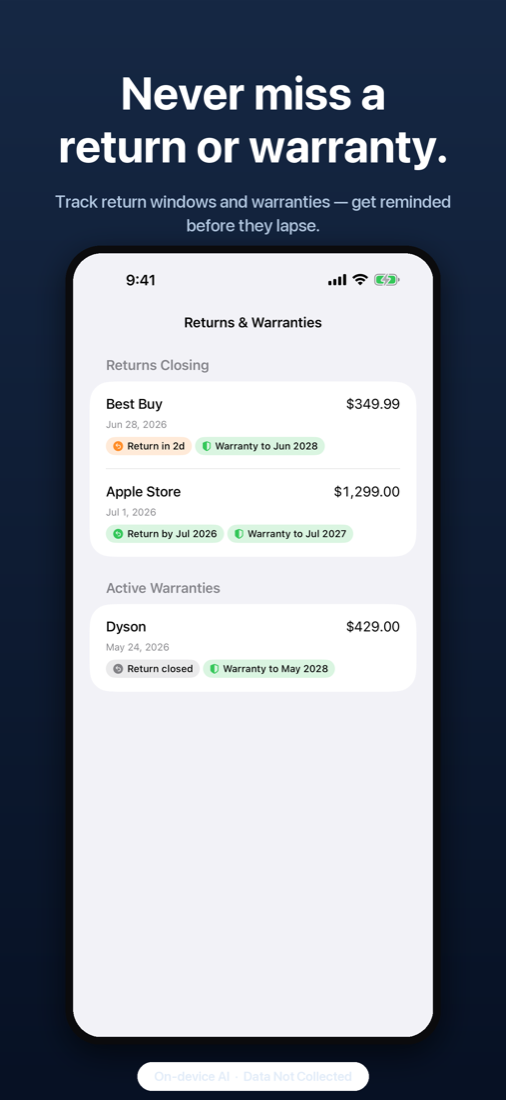
Manual trips free · automatic with ProAdd a return window or warranty date to any receipt and get reminded before it lapses. Scan serial numbers and barcodes for claims. See what's returnable and what's covered at a glance, with countdowns.
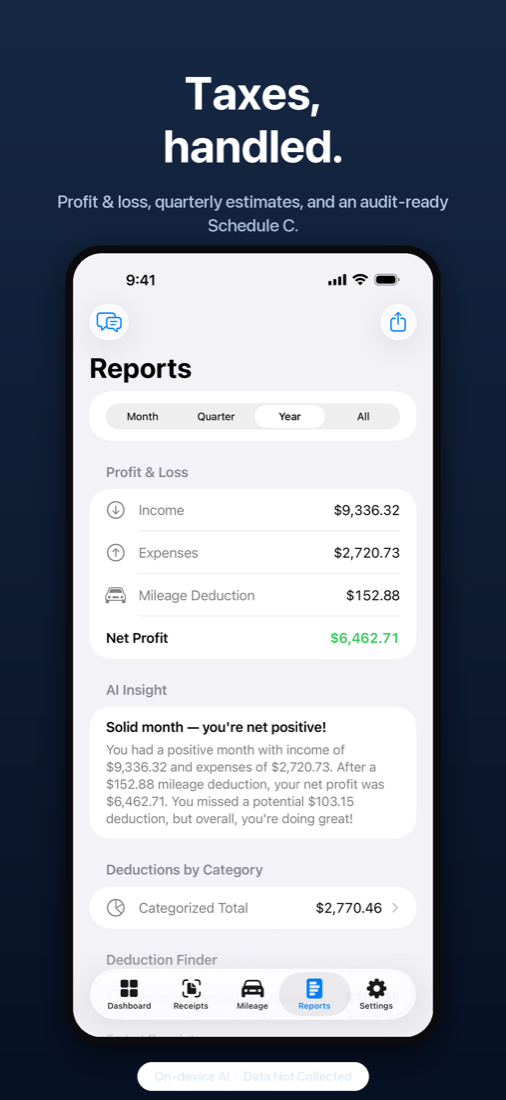
FreeNet profit, deductions captured and estimated savings for any period. Tap a category to see where deductions come from. Profit and Loss, Schedule C breakdown, Cash Flow with custom date ranges, and anomaly flags when something looks off.
Dashboard free · reports and Cash Flow with ProMissed write-offs, with dollar values, surfaced on the dashboard and in Mileage. The optimizer suggests where you're leaving money on the table for your line of work.
ProA quarterly estimate (self-employment plus income tax) tells you what to set aside. Turn on reminders and ReceiptHQ nudges you before each deadline.
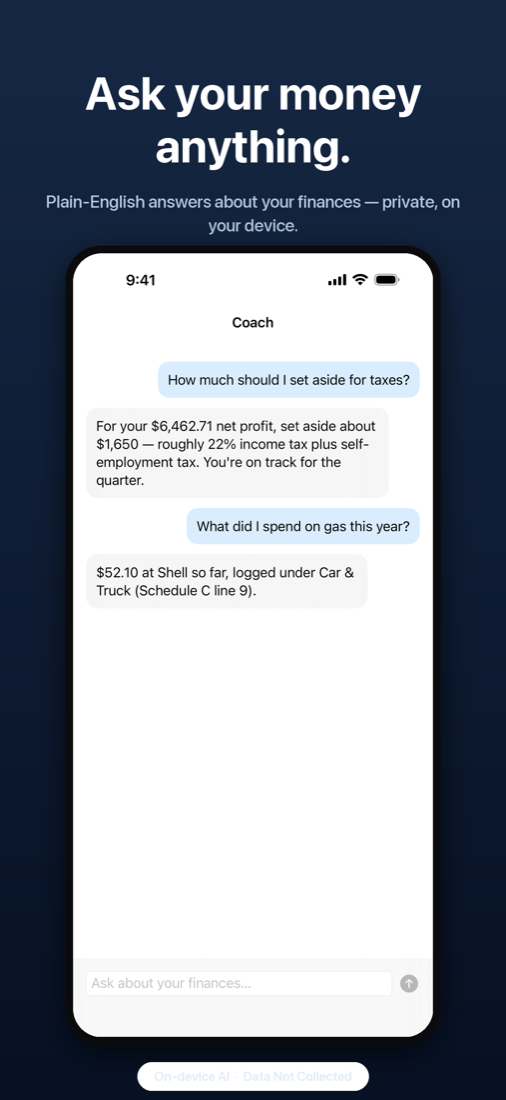
ProChat with your finances in plain English: "What did I spend on supplies this quarter?" or "How much should I set aside for taxes?" Answers come from your own numbers, computed on your iPhone, with suggested follow-ups to keep digging.
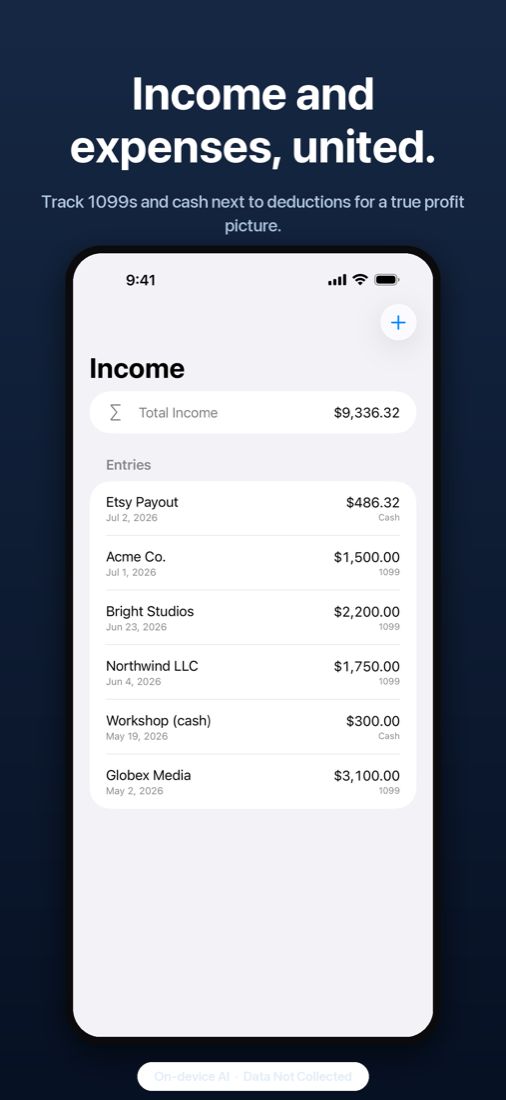
Pro · supported iPhonesLog income as it arrives. Enter the 1099s you receive and reconcile reported against recorded income before you file. Send simple invoices with PayPal, Venmo or Stripe payment links, so getting paid lives next to getting deducted.
Free · premium invoice templates with ProOne PDF with your Schedule C totals, every receipt image and the full mileage log. A TurboTax-ready TXF file. Grouped CSVs for your accountant. Hand it over and you're done.
ProHome Screen and Lock Screen widgets with your month at a glance, money hidden when the screen is locked. Siri and Shortcuts for Quick Scan, Log Drive, Add Income and Financial Summary. Receipts and trips show up in Spotlight.
FreeLock the app behind Face ID or Touch ID. Keep everything on one device, or turn on sync to your own private iCloud for your iPad too. Sync is off by default and we never see the data either way.
App Lock free · sync with ProEvery amount is exact decimal math with banker's rounding, so your totals match your accountant's. The sample receipt in the demo never counts toward anything.
Free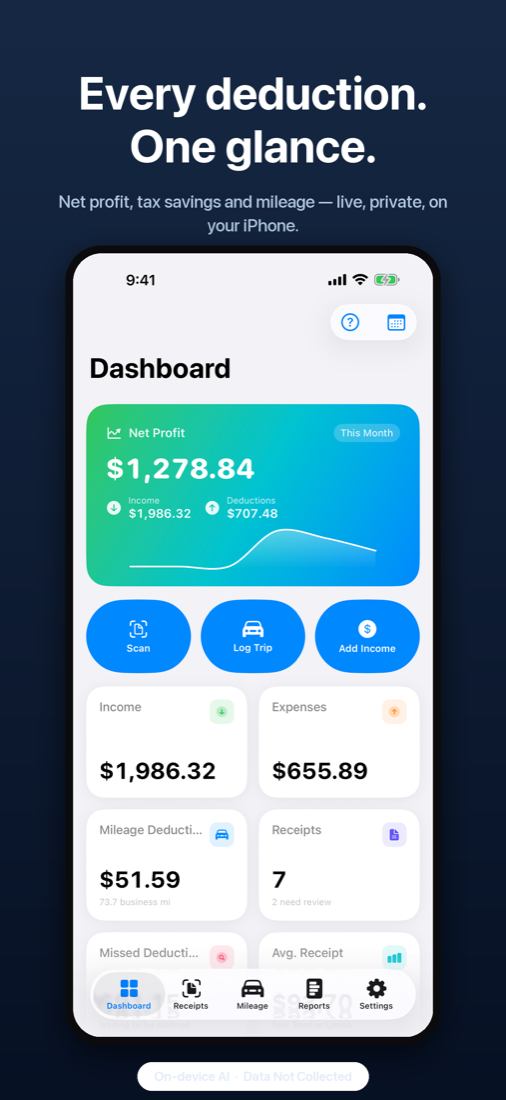
ReceiptHQ has no servers. Text recognition, categorization, statement scanning and Ask ReceiptHQ all run on the iPhone in your hand.
That's the App Store privacy label, and it's literal. No account, no email, no analytics, no ads, no third-party SDKs. This website doesn't track you either.
Statement import reads a file you choose. You never hand over a bank login, and the file is parsed on your device.
The on-device model only picks a category and writes a sentence. Amounts and dates come from the receipt or statement itself, by design, so a confident model can never change what you paid.
Off by default. Turn it on and your data syncs through your own private iCloud, which we can't read.
Lock the app at launch and when it goes to the background. Widget amounts hide on a locked screen.
Read the Mobile Innovations privacy policy. Tax savings shown in the app are estimates based on your inputs, not tax advice.
One or two found deductions cover a year of Pro. Everything you capture on Free stays yours either way.
| What you get | Free | Pro |
|---|---|---|
| Scan, import and store receipts with photos; Needs Review queue; manual Schedule C categories | Included | Included |
| Returns and warranty reminders, serial and barcode scanning | Included | Included |
| Manual mileage trips and the IRS mileage log | Included | Included |
| Income, 1099 entries and reconciliation, simple invoices with payment links | Included | Included |
| Dashboard, widgets, Siri and Shortcuts, App Lock | Included | Included |
| AI Schedule C categorization with estimated savings | Preview | Included |
| Automatic drive detection with Live Activity | · | Included |
| Found Money: bank statement write-off detection and Verified Deductions | · | Included |
| Reports: Profit and Loss, Schedule C breakdown, Cash Flow, Deduction Finder and Optimizer | · | Included |
| Quarterly tax estimate and reminders | · | Included |
| Ask ReceiptHQ | · | Included |
| Tax Pack PDF, TurboTax TXF and accountant CSV exports | · | Included |
| Premium invoice templates | · | Included |
| iCloud sync across your devices | · | Included |
An auto-renewing annual subscription billed to your Apple Account after the trial. It renews unless cancelled at least 24 hours before the end of the period; manage or cancel any time in iOS Settings. Prices vary by region.
Anyone with self-employment income who files a Schedule C: freelancers, 1099 contractors, rideshare and delivery drivers, consultants, creators, side hustlers. Pick your work type once and the suggestions tune themselves to it. No accounting degree required.
No, and that's on purpose. Export a statement from your bank's website or app as PDF, CSV, QFX or OFX and import it, or share it to ReceiptHQ from Mail or Files. It's scanned on your phone and nothing is uploaded.
It reads the receipt and suggests the Schedule C line; you confirm with a tap, and it learns your vendors. When it isn't sure, the receipt goes to Needs Review rather than being guessed. It can't change amounts or dates at all: those are read from the document, never generated.
No. Estimated savings use the rates you set in Settings and are there to show the value of a deduction, not to replace your accountant or tax software. The Tax Pack and TXF export exist so you can hand the numbers to either.
An iPhone or iPad on iOS 26 or later. AI features such as categorization and Ask ReceiptHQ use Apple's on-device model and need a device that supports Apple Intelligence; everything else, including manual categories and reports, works without it.
Nothing is deleted. Receipts, trips, income and warranties stay on your device and keep working on Free. Only the Pro features switch off.
Yes. Turn on iCloud sync (Pro) and your records follow you through your own private iCloud. Without sync, each device keeps its own data.
There's a help section inside the app under Settings. For anything else, write to feedback@mobileinnov.com.
Start keeping them. Free on the App Store.
